ChatGPT vs Claude for Coding: Which AI Writes Better Code in 2026?
If you write code for a living — or even just occasionally — you’ve probably asked yourself this question at least once: should I be using ChatGPT or Claude?
Both tools are genuinely impressive. Both can write, debug, explain, and refactor code across multiple programming languages. And both have passionate supporters who will argue their pick is obviously the better choice.
But here’s the thing — they’re not the same. And depending on what kind of coding work you do, one of them will serve you significantly better than the other.
In this guide, I’m breaking down the ChatGPT vs Claude for coding debate in a way that’s actually useful — with real task comparisons, honest assessments, and a clear recommendation at the end based on different use cases.
No hype. No brand loyalty. Just a straight answer to help you make the right call.
Quick Overview: ChatGPT and Claude in 2026
Before we get into the head-to-head comparison, let’s quickly establish where both tools stand right now.
ChatGPT (OpenAI)
ChatGPT is built by OpenAI and is currently the most widely used AI assistant in the world. The latest model — GPT-4o — is available on the Plus plan ($20/month) and is deeply integrated with tools like GitHub Copilot, Microsoft Copilot, and the broader OpenAI API ecosystem.
For coding specifically, ChatGPT also powers GitHub Copilot — arguably the most widely adopted AI coding assistant among professional developers right now.
Claude (Anthropic)
Claude is built by Anthropic — a company founded by former OpenAI researchers with a strong focus on AI safety and reliability. The latest model — Claude 3.5 Sonnet — has made serious waves in the developer community for its coding performance.
Claude is available through claude.ai, with a free tier and a Pro plan at $20/month. It’s also accessible via API for developers building applications.
Both tools are genuinely capable. The differences show up in the details — and that’s exactly what we’re going to explore.
ChatGPT vs Claude for Coding: The Key Comparison Areas
To make this comparison genuinely useful, I’m breaking it down into eight specific areas that matter most for coding work. Let’s go through each one honestly.
1. Code Generation Quality
This is the big one. When you ask both tools to write code from scratch — how good is the output?
ChatGPT: Extremely strong across a wide range of languages including Python, JavaScript, TypeScript, SQL, Bash, Go, and more. GPT-4o produces clean, functional code quickly and handles both simple snippets and complex multi-function implementations well. It’s particularly strong with popular frameworks like React, Django, Flask, and Node.js.
Claude: Claude 3.5 Sonnet has genuinely surprised a lot of developers with its code quality. Many experienced programmers report that Claude produces cleaner, more readable code with better variable naming, more logical structure, and fewer unnecessary complexities. It also tends to add more helpful inline comments by default.
Winner for code generation: Slight edge to Claude for code quality and readability. ChatGPT wins on speed and language breadth.
Code generation comparison: ChatGPT vs Claude for coding
2. Debugging and Error Fixing
Debugging is where AI coding assistants save the most time. Paste in broken code, describe the error, and get a fix. But how well does each tool actually do this?
ChatGPT: Very good at identifying common bugs and explaining what went wrong. It’s especially helpful for beginners because it explains the error clearly in plain language before providing the fix. However, with highly complex or deeply nested bugs, it can sometimes miss the root cause and fix the symptom instead.
Claude: Exceptionally strong at debugging. Claude tends to trace through logic more carefully and is better at identifying the actual root cause of an issue rather than just patching the surface error. Several developers have noted that Claude catches edge cases that ChatGPT misses entirely.
Winner for debugging:Claude — particularly for complex, multi-layered bugs.
3. Code Explanation and Documentation
Sometimes you don’t need new code — you need to understand existing code. Maybe it’s a legacy codebase, a library you’re unfamiliar with, or someone else’s project you’ve inherited.
ChatGPT: Good at explaining code in clear, accessible language. Works well for beginners and intermediate developers. Tends to give solid line-by-line breakdowns when asked.
Claude: Exceptional at this. Claude’s explanations are notably more nuanced, better structured, and more thorough. It handles very long code blocks better (more on context window size shortly) and tends to explain the intent behind code decisions — not just what each line does mechanically.
Winner for code explanation:Claude — it genuinely reads like a senior developer explaining things to a junior.
4. Context Window Size
This one matters a lot more than most people realize — especially for real-world coding projects.
The context window is how much text (code, instructions, conversation history) the AI can hold in its memory at once. A larger context window means you can paste in more code, have longer conversations, and work on bigger files without the AI forgetting what it said earlier.
ChatGPT (GPT-4o): 128,000 token context window — very large and handles most real-world projects comfortably.
Claude 3.5 Sonnet: 200,000 token context window — significantly larger. This means you can paste in an entire large codebase, multiple files, and detailed instructions all at once and Claude will hold all of it in context without losing track.
Winner for context window:Claude — and it’s not even close. For large projects, this is a game changer.
5. Following Complex Instructions
Real coding tasks aren’t simple. You often need the AI to follow multiple constraints simultaneously — use a specific framework, follow a certain code style, avoid specific patterns, output in a particular format, and so on.
ChatGPT: Good at following instructions but occasionally drifts from specific constraints when the prompt gets long and complex. May need reminding of certain rules mid-conversation.
Claude: Remarkably good at following complex, multi-part instructions precisely. Developers consistently report that Claude sticks to the specified requirements more reliably — especially important when working within strict coding standards or style guides.
Winner for following instructions:Claude — more reliable and consistent with complex requirements.
6. Speed and Response Time
When you’re in a coding flow state, waiting for an AI response can genuinely break your concentration. Speed matters.
ChatGPT: Generally very fast. GPT-4o is notably quicker than previous GPT-4 models and delivers responses at a pace that keeps up with active coding sessions comfortably.
Claude: Slightly slower than ChatGPT for longer responses, particularly when generating large blocks of code. The difference isn’t massive, but it’s noticeable during extended coding sessions.
Winner for speed:ChatGPT — faster response times especially for longer code outputs.
7. Integrations and Ecosystem
This is where ChatGPT has a significant structural advantage — and it matters a lot depending on how you work.
ChatGPT: Powers GitHub Copilot — the industry standard AI coding assistant that integrates directly into VS Code, JetBrains IDEs, Neovim, and more. Also integrates with Microsoft Copilot across the entire Microsoft 365 ecosystem. The OpenAI API is the most widely supported in third-party developer tools.
Claude: Available via API and integrates with tools like Cursor (a popular AI code editor) and some other development environments. The ecosystem is growing but is still significantly smaller than OpenAI’s.
Winner for integrations:ChatGPT — it’s not close. The GitHub Copilot integration alone gives it a massive practical advantage for professional developers.
8. Handling Sensitive and Restricted Code Requests
Both tools have safety guardrails — but they apply them differently, which can occasionally affect legitimate coding work.
ChatGPT: Has relatively strict content filters that occasionally refuse or water down responses to legitimate security-related coding requests — things like penetration testing scripts, security vulnerability analysis, or certain system-level code. This can be frustrating for security researchers and ethical hackers.
Claude: Generally handles security-related coding requests more thoughtfully. It’s more likely to provide complete, useful responses to legitimate security coding tasks while still maintaining appropriate guardrails for genuinely harmful requests.
Winner for handling edge cases: Slight edge to Claude for security and systems programming work.
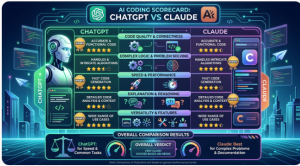
Head-to-Head Scorecard: ChatGPT vs Claude for Coding
Category
ChatGPT (GPT-4o)
Claude 3.5 Sonnet
Winner
Code Generation Quality
⭐⭐⭐⭐
⭐⭐⭐⭐⭐
🏆 Claude
Debugging and Error Fixing
⭐⭐⭐⭐
⭐⭐⭐⭐⭐
🏆 Claude
Code Explanation
⭐⭐⭐⭐
⭐⭐⭐⭐⭐
🏆 Claude
Context Window Size
⭐⭐⭐⭐ (128K)
⭐⭐⭐⭐⭐ (200K)
🏆 Claude
Following Complex Instructions
⭐⭐⭐⭐
⭐⭐⭐⭐⭐
🏆 Claude
Speed and Response Time
⭐⭐⭐⭐⭐
⭐⭐⭐⭐
🏆 ChatGPT
Integrations and Ecosystem
⭐⭐⭐⭐⭐
⭐⭐⭐
🏆 ChatGPT
Security and Edge Cases
⭐⭐⭐
⭐⭐⭐⭐
🏆 Claude
Overall Score
ChatGPT: 2 wins
Claude: 6 wins
🏆 Claude
Head-to-head scorecard: ChatGPT vs Claude for coding in 2025
So Who Should Use Which Tool?
The scorecard tells one story — but the right choice still depends on your specific situation. Here’s a clean breakdown:
Choose Claude If You:
Work on large, complex codebases that need a big context window
Prioritize code quality, readability, and clean architecture
Do a lot of debugging and need thorough root-cause analysis
Work in security, systems programming, or need nuanced handling of edge cases
Write detailed technical documentation alongside your code
Follow strict coding standards and need an AI that sticks to them reliably
Choose ChatGPT If You:
Use GitHub Copilot or VS Code and want deep IDE integration
Need the fastest possible response times during active coding sessions
Work across a wide variety of languages and frameworks frequently
Already use other OpenAI or Microsoft products and want everything connected
Build applications using the OpenAI API and need the most widely supported ecosystem
Are a beginner who needs clear, simple explanations alongside working code
Use Both If You:
Honestly — many professional developers use both tools strategically. They use Claude for planning, architecture, debugging, and code review, and ChatGPT (via GitHub Copilot) for real-time code completion inside their IDE.
That combination gives you the best of both worlds — and at $20/month each, it’s still cheaper than most professional software subscriptions.
Watch: How to Use Claude AI for Coding | Search: “Claude AI coding tutorial for developers 2024 2025” on YouTube
Real Developer Opinions: What Are People Actually Saying?
Beyond our own testing, the developer community has been pretty vocal about this comparison. Here’s what the general consensus looks like across Reddit, Hacker News, and developer Twitter/X:
Most experienced developers rate Claude 3.5 Sonnet as the current best AI for pure coding tasks — particularly for complex projects
Beginners and junior developers often prefer ChatGPT because it’s more widely documented, has more tutorials available, and integrates with tools they already use
Full-stack developers working on large projects consistently praise Claude’s context window as a game changer for holding entire codebases in memory
Frontend developers working in React and Vue often find both tools equally capable for their day-to-day work
Security researchers and backend engineers frequently prefer Claude for its more thoughtful handling of security-related code
The pattern is clear — Claude leads on pure coding quality, ChatGPT leads on ecosystem and accessibility.
Pricing Comparison: What Do You Actually Pay?
Plan
ChatGPT
Claude
Free Tier
✅ Yes — GPT-4o with limits
✅ Yes — Claude 3.5 Sonnet with limits
Pro / Plus Plan
$20/month
$20/month
Team Plan
$25/user/month
$25/user/month
API Access
Pay per token — widely available
Pay per token — available via Anthropic
IDE Integration
✅ GitHub Copilot ($10/month extra)
✅ Cursor and others (third party)
Pricing is essentially identical for the base plans. The difference comes down to what you get for that price — and for coding specifically, Claude currently delivers more value per dollar on pure AI quality.
Monetization Corner: How to Make Money With This Knowledge
If you’re a developer, blogger, or tech content creator — the ChatGPT vs Claude for coding topic is genuinely monetizable. Here’s how:
💰 Affiliate Opportunities
Anthropic / Claude — Check their partner and referral program at anthropic.com
OpenAI / ChatGPT Plus — OpenAI has an affiliate program worth exploring
GitHub Copilot — Promote through the GitHub affiliate program
Cursor AI Editor — Growing AI code editor that uses Claude — check their affiliate options
💰 Digital Products
Sell a “Prompt Engineering for Coders” guide — showing developers the exact prompts to get the best code output from both ChatGPT and Claude
Create a comparison cheat sheet PDF — when to use which tool for specific coding tasks — sell on Gumroad for $7 to $17
Build and sell a developer productivity course on Udemy covering both tools in depth
💰 YouTube and Blog Content
Comparison content like this performs extremely well on YouTube and Google. A dedicated YouTube channel comparing AI coding tools — with honest, practical tests — can monetize through AdSense, sponsorships from AI tool companies, and affiliate commissions simultaneously.
Place affiliate link CTAs naturally after the pricing table and after the “who should use which tool” section — those are the highest-intent moments in this type of comparison article.
Watch: ChatGPT vs Claude — Which AI is Better for Developers? | Search: “ChatGPT vs Claude developer review 2025” on YouTubeChatGPT vs Claude for coding — choosing the right tool for your workflow
Here’s the honest bottom line on ChatGPT vs Claude for coding in 2025:
If you want the best raw AI coding performance — better code quality, stronger debugging, larger context window, and more precise instruction following — Claude 3.5 Sonnet is currently the better choice.
If you want the best ecosystem, integrations, and IDE experience — GitHub Copilot, VS Code integration, and the widest third-party support — ChatGPT is the more practical choice.
And if you’re serious about your coding productivity and can justify $40/month — use both. Seriously. The combination is more powerful than either tool alone.
The AI coding landscape is moving fast. Both tools will keep improving. But right now, in 2025, Claude has the edge on pure coding quality — and that’s what matters most when you’re trying to ship good software.
Found this comparison useful? Share it with a developer friend who’s trying to decide between the two. And subscribe to the newsletter for more honest AI tool comparisons every week. 😊













Good